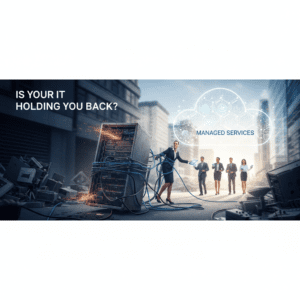
In today’s rapidly evolving business landscape, Australian SMBs need flexible and secure solutions to empower their remote workforce. Cloud PCs offer a compelling alternative to traditional desktop infrastructure, providing access to applications and data from anywhere, on any device. This unlocks significant benefits, but making the right decision requires careful consideration.
This article delves into the key aspects of Cloud PCs for Australian SMBs, examining their benefits, the deployment process, and crucial security considerations. By understanding these factors, you can determine if Cloud PCs are the right solution to support your business goals and ensure a productive and secure remote work environment.
What are Cloud PCs and How Do They Benefit Australian SMBs?
A Cloud PC, also known as Desktop-as-a-Service (DaaS), is essentially a virtual computer hosted in the cloud. Instead of relying on physical hardware located in your office, employees access their desktop, applications, and data through a secure internet connection. This model offers several advantages for Australian SMBs embracing remote or hybrid work arrangements. Reduced hardware costs are a significant draw, as businesses can eliminate the need to purchase, maintain, and upgrade physical desktops. This translates to lower capital expenditure and reduced ongoing IT support expenses. Moreover, Cloud PCs offer enhanced scalability. You can easily scale up or down resources based on your business needs, adding or removing virtual desktops as required, providing agility to respond to changing demands. This flexibility is particularly valuable for seasonal businesses or those experiencing rapid growth. Centralised management also simplifies IT administration. IT teams can manage and update all Cloud PCs from a central console, ensuring consistent configurations, security patches, and application updates. This streamlines IT operations and reduces the burden on internal resources. Finally, improved business continuity is provided through data stored securely in the cloud, and accessible from any device, allowing employees to continue working even in the event of a local outage or disaster. For SMBs, this resilience minimizes downtime and protects against data loss.
Assessing Your Business Needs Before Migrating

Before diving into Cloud PCs, a thorough assessment of your business needs is crucial. Begin by evaluating your current IT infrastructure and identify any pain points. Are you struggling with managing a diverse range of devices? Are you facing increasing cybersecurity threats? Is your current infrastructure hindering remote work productivity? Understanding these challenges will help you determine if Cloud PCs can address them effectively. Then, assess the applications and software your employees rely on. Ensure that these applications are compatible with the Cloud PC environment. Some legacy applications might require specific configurations or may not be fully compatible. Compatibility testing is essential to avoid disruptions. Next, consider your employees’ roles and responsibilities. Different roles may require varying levels of computing power and storage. Identify the specific resource requirements for each user group to ensure optimal performance. A sales team might need a standard configuration, while a graphic designer would need more resources. You should also evaluate your network bandwidth. A stable and reliable internet connection is essential for accessing Cloud PCs. Assess your current bandwidth capacity and ensure it can support the increased demand from cloud-based desktops, especially if you have multiple users accessing simultaneously. Finally, you must factor in compliance requirements. Certain industries, such as healthcare or finance, are subject to strict data security and privacy regulations. Ensure that your Cloud PC provider meets these requirements to maintain compliance. For instance, if you handle personal information, ensure compliance with the Privacy Act 1988 (Cth).
Securely Deploying and Managing Cloud PCs
Security should be paramount throughout the deployment and management of Cloud PCs. Implementing multi-factor authentication (MFA) is a critical first step, adding an extra layer of protection beyond passwords. Requiring users to verify their identity through multiple channels significantly reduces the risk of unauthorized access. Next, employ robust encryption methods to protect data both in transit and at rest. Ensure that all data transmitted between the user’s device and the Cloud PC is encrypted using protocols such as Transport Layer Security (TLS). Additionally, encrypt the data stored on the Cloud PC to prevent unauthorized access in case of a security breach. Regularly update and patch your Cloud PC environment. This includes operating systems, applications, and security software. Security vulnerabilities are constantly being discovered, and timely updates are essential to mitigate these risks. Automate patching processes to ensure consistent and timely updates across all Cloud PCs. Implement strong access controls to limit user access to only the resources they need. Define clear roles and permissions for each user group, granting access only to the applications and data necessary for their job function. Regularly review and update access controls to reflect changes in roles and responsibilities. You should also integrate with a Security Information and Event Management (SIEM) system to provide real-time monitoring and threat detection. A SIEM system collects and analyzes security logs from various sources, identifying potential security threats and triggering alerts. This enables you to respond quickly to security incidents and mitigate potential damage. Consider engaging a managed IT services provider like Digitek IT, to assist with the secure deployment and ongoing management of your Cloud PCs. They can provide expertise in cybersecurity best practices and ensure your Cloud PC environment is protected against evolving threats. Don’t forget to establish a comprehensive incident response plan. This plan should outline the steps to take in the event of a security incident, including identifying the incident, containing the damage, eradicating the threat, and recovering affected systems. Regular testing and drills can help ensure the effectiveness of your incident response plan; consider using resources like the Australian Cyber Security Centre (www.cyber.gov.au) for guidance.
By following these Cloud PC security best practices, you can significantly reduce the risk of security breaches and protect your sensitive data.
{
“sections”: [
{ Let’s proceed with the next section, detailing a JSON structure related to Cloud PC configurations:
Here’s an example of a JSON configuration structure for Cloud PCs:
{ An example JSON configuration:
“sections”: [ Structuring the sections within the JSON configuration:
{
{ "cloudPCName": "User1-CloudPC", "operatingSystem": "Windows 11 Pro", "region": "Australia East", "hardwareProfile": { "cpu": "Intel Xeon E3-1200 v5", "memory": "8GB", "storage": "128GB SSD" }, "network": { "virtualNetworkId": "/subscriptions/xxxxxxxx-xxxx-xxxx-xxxx-xxxxxxxxxxxx/resourceGroups/CloudPC-RG/providers/Microsoft.Network/virtualNetworks/CloudPC-VNet", "subnetId": "/subscriptions/xxxxxxxx-xxxx-xxxx-xxxx-xxxxxxxxxxxx/resourceGroups/CloudPC-RG/providers/Microsoft.Network/virtualNetworks/CloudPC-VNet/subnets/CloudPC-Subnet" }, "security": { "encryptionEnabled": true, "firewallRules": [ { "name": "AllowRDP", "protocol": "TCP", "sourcePortRange": "*", "destinationPortRange": "3389", "sourceAddressPrefix": "10.0.0.0/16", "destinationAddressPrefix": "*" } ], "antivirus": { "enabled": true, "product": "Windows Defender" } }, "applications": [ "Microsoft Office 365", "Adobe Acrobat Reader", "Google Chrome" ], "backup": { "enabled": true, "schedule": "Daily" }, "monitoring": { "enabled": true, "metrics": [ "CPU Usage", "Memory Usage", "Disk Usage", "Network Traffic" ] } }
Is Your Business Ready for the Future of Work? Cloud PCs Could Be the Answer.
“sections”: [
{ Let’s proceed with the next section, detailing a JSON structure related to Cloud PC configurations:
Here’s an example of a JSON configuration structure for Cloud PCs:
{ An example JSON configuration:
“sections”: [ Structuring the sections within the JSON configuration:
{
{ "cloudPCName": "User1-CloudPC", "operatingSystem": "Windows 11 Pro", "region": "Australia East", "hardwareProfile": { "cpu": "Intel Xeon E3-1200 v5", "memory": "8GB", "storage": "128GB SSD" }, "network": { "virtualNetworkId": "/subscriptions/xxxxxxxx-xxxx-xxxx-xxxx-xxxxxxxxxxxx/resourceGroups/CloudPC-RG/providers/Microsoft.Network/virtualNetworks/CloudPC-VNet", "subnetId": "/subscriptions/xxxxxxxx-xxxx-xxxx-xxxx-xxxxxxxxxxxx/resourceGroups/CloudPC-RG/providers/Microsoft.Network/virtualNetworks/CloudPC-VNet/subnets/CloudPC-Subnet" }, "security": { "encryptionEnabled": true, "firewallRules": [ { "name": "AllowRDP", "protocol": "TCP", "sourcePortRange": "*", "destinationPortRange": "3389", "sourceAddressPrefix": "10.0.0.0/16", "destinationAddressPrefix": "*" } ], "antivirus": { "enabled": true, "product": "Windows Defender" } }, "applications": [ "Microsoft Office 365", "Adobe Acrobat Reader", "Google Chrome" ], "backup": { "enabled": true, "schedule": "Daily" }, "monitoring": { "enabled": true, "metrics": [ "CPU Usage", "Memory Usage", "Disk Usage", "Network Traffic" ] } }
Is Your Business Ready for the Future of Work? Cloud PCs Could Be the Answer.
Here’s an example of a JSON configuration structure for Cloud PCs:
{ An example JSON configuration:
“sections”: [ Structuring the sections within the JSON configuration:
{
{ "cloudPCName": "User1-CloudPC", "operatingSystem": "Windows 11 Pro", "region": "Australia East", "hardwareProfile": { "cpu": "Intel Xeon E3-1200 v5", "memory": "8GB", "storage": "128GB SSD" }, "network": { "virtualNetworkId": "/subscriptions/xxxxxxxx-xxxx-xxxx-xxxx-xxxxxxxxxxxx/resourceGroups/CloudPC-RG/providers/Microsoft.Network/virtualNetworks/CloudPC-VNet", "subnetId": "/subscriptions/xxxxxxxx-xxxx-xxxx-xxxx-xxxxxxxxxxxx/resourceGroups/CloudPC-RG/providers/Microsoft.Network/virtualNetworks/CloudPC-VNet/subnets/CloudPC-Subnet" }, "security": { "encryptionEnabled": true, "firewallRules": [ { "name": "AllowRDP", "protocol": "TCP", "sourcePortRange": "*", "destinationPortRange": "3389", "sourceAddressPrefix": "10.0.0.0/16", "destinationAddressPrefix": "*" } ], "antivirus": { "enabled": true, "product": "Windows Defender" } }, "applications": [ "Microsoft Office 365", "Adobe Acrobat Reader", "Google Chrome" ], "backup": { "enabled": true, "schedule": "Daily" }, "monitoring": { "enabled": true, "metrics": [ "CPU Usage", "Memory Usage", "Disk Usage", "Network Traffic" ] } }
Is Your Business Ready for the Future of Work? Cloud PCs Could Be the Answer.
“sections”: [ Structuring the sections within the JSON configuration:
{
{ "cloudPCName": "User1-CloudPC", "operatingSystem": "Windows 11 Pro", "region": "Australia East", "hardwareProfile": { "cpu": "Intel Xeon E3-1200 v5", "memory": "8GB", "storage": "128GB SSD" }, "network": { "virtualNetworkId": "/subscriptions/xxxxxxxx-xxxx-xxxx-xxxx-xxxxxxxxxxxx/resourceGroups/CloudPC-RG/providers/Microsoft.Network/virtualNetworks/CloudPC-VNet", "subnetId": "/subscriptions/xxxxxxxx-xxxx-xxxx-xxxx-xxxxxxxxxxxx/resourceGroups/CloudPC-RG/providers/Microsoft.Network/virtualNetworks/CloudPC-VNet/subnets/CloudPC-Subnet" }, "security": { "encryptionEnabled": true, "firewallRules": [ { "name": "AllowRDP", "protocol": "TCP", "sourcePortRange": "*", "destinationPortRange": "3389", "sourceAddressPrefix": "10.0.0.0/16", "destinationAddressPrefix": "*" } ], "antivirus": { "enabled": true, "product": "Windows Defender" } }, "applications": [ "Microsoft Office 365", "Adobe Acrobat Reader", "Google Chrome" ], "backup": { "enabled": true, "schedule": "Daily" }, "monitoring": { "enabled": true, "metrics": [ "CPU Usage", "Memory Usage", "Disk Usage", "Network Traffic" ] } }
Is Your Business Ready for the Future of Work? Cloud PCs Could Be the Answer.
{ "cloudPCName": "User1-CloudPC", "operatingSystem": "Windows 11 Pro", "region": "Australia East", "hardwareProfile": { "cpu": "Intel Xeon E3-1200 v5", "memory": "8GB", "storage": "128GB SSD" }, "network": { "virtualNetworkId": "/subscriptions/xxxxxxxx-xxxx-xxxx-xxxx-xxxxxxxxxxxx/resourceGroups/CloudPC-RG/providers/Microsoft.Network/virtualNetworks/CloudPC-VNet", "subnetId": "/subscriptions/xxxxxxxx-xxxx-xxxx-xxxx-xxxxxxxxxxxx/resourceGroups/CloudPC-RG/providers/Microsoft.Network/virtualNetworks/CloudPC-VNet/subnets/CloudPC-Subnet" }, "security": { "encryptionEnabled": true, "firewallRules": [ { "name": "AllowRDP", "protocol": "TCP", "sourcePortRange": "*", "destinationPortRange": "3389", "sourceAddressPrefix": "10.0.0.0/16", "destinationAddressPrefix": "*" } ], "antivirus": { "enabled": true, "product": "Windows Defender" } }, "applications": [ "Microsoft Office 365", "Adobe Acrobat Reader", "Google Chrome" ], "backup": { "enabled": true, "schedule": "Daily" }, "monitoring": { "enabled": true, "metrics": [ "CPU Usage", "Memory Usage", "Disk Usage", "Network Traffic" ] } } Is Your Business Ready for the Future of Work? Cloud PCs Could Be the Answer.
The way Australian small to medium businesses (SMBs) operate has changed dramatically, demanding more flexibility and security than ever before. Cloud PCs offer a compelling solution, enabling secure and efficient remote work environments. But are they right for your business? This article explores the potential of Cloud PCs to empower your team and enhance your business operations.
Highlighting the changing landscape of work post-pandemic.
The COVID-19 pandemic accelerated the adoption of remote work, and many businesses are now embracing hybrid models permanently. This shift presents both opportunities and challenges. While remote work can unlock a wider talent pool and boost employee morale, it also requires robust IT infrastructure to ensure productivity and security. Traditional on-premise solutions may struggle to keep pace with the demands of a distributed workforce, leading to performance bottlenecks, increased security risks, and higher IT management costs. SMBs in particular may find it difficult to afford the resources and expertise needed to maintain a secure and efficient remote work environment with traditional methods. Cloud PCs offer a centralised, scalable, and secure solution that addresses these challenges. By virtualising desktops in the cloud, employees can access their applications, data, and settings from anywhere, on any device, without compromising performance or security. This approach also simplifies IT management, reducing the burden on internal teams or external managed IT services providers.
According to a 2025 report by Gartner, “By 2027, 60% of enterprises will have fully embraced a distributed workforce model, leading to increased demand for cloud-based desktop solutions.” Gartner’s research consistently highlights the growing importance of cloud solutions in supporting modern work environments. For Australian SMBs, staying ahead of this trend is crucial for maintaining competitiveness and attracting top talent.
Emphasize the benefits of remote work for Australian SMBs (increased productivity, wider talent pool).
Embracing remote work through solutions like Cloud PCs offers several compelling advantages for Australian SMBs. Firstly, it unlocks a geographically diverse talent pool. Your business is no longer limited to hiring individuals within commuting distance, allowing you to access skilled professionals from across Australia or even globally. This expanded reach can be particularly valuable for finding specialists in niche areas or attracting talent from larger cities without the associated relocation costs. Secondly, remote work can significantly boost employee productivity. Studies have shown that remote workers often experience fewer distractions and greater autonomy, leading to increased focus and output. Eliminating commute times also frees up valuable time for employees to dedicate to work or personal pursuits, improving overall job satisfaction and reducing burnout.
Cloud PCs contribute directly to these benefits by providing a consistent and reliable computing experience, regardless of the employee’s location or device. This ensures that employees can access the resources they need to perform their jobs effectively, without being hampered by performance issues or compatibility problems. Furthermore, Cloud PCs enhance data security and compliance. With data stored securely in the cloud, businesses can mitigate the risks associated with data loss or theft on personal devices. This is particularly important for SMBs that handle sensitive customer information or operate in regulated industries. Partnering with a reliable cybersecurity-focused IT provider is essential to implementing and managing a secure Cloud PC environment. Cloud PCs also promote business continuity by allowing employees to quickly resume work after a disaster or outage, ensuring minimal disruption to operations.
Is Your Business Ready for the Future of Work? Cloud PCs Could Be the Answer.
Highlighting the changing landscape of work post-pandemic.
The COVID-19 pandemic has irrevocably altered the way we work. While some organizations are attempting a return to traditional office settings, many employees now prioritize flexibility and remote work options. This shift has created a new reality where businesses must adapt to attract and retain talent. Companies that fail to offer remote work solutions risk losing out on skilled workers who seek a better work-life balance and the freedom to work from anywhere. Furthermore, the pandemic has highlighted the importance of business continuity and resilience. Organizations that were able to quickly transition to remote work were better positioned to weather the storm and maintain operations during lockdowns and disruptions. This has led many SMBs to re-evaluate their IT infrastructure and explore cloud-based solutions that can support a distributed workforce.
Briefly introduce Cloud PCs as a solution to common remote work challenges.
Cloud PCs, also known as Desktop-as-a-Service (DaaS), offer a compelling solution to the remote work challenges faced by many Australian SMBs. In essence, a Cloud PC is a virtual desktop environment hosted in the cloud, accessible from virtually any device with an internet connection. This contrasts sharply with traditional desktop setups, where applications and data reside solely on a physical machine, creating complexities for remote access and management.
Common remote work problems Cloud PCs address include:
- Security Risks: With employees using personal devices, sensitive business data can be vulnerable to breaches and malware. Cloud PCs centralize data within a secure cloud environment, reducing this risk.
- Inconsistent User Experience: Employees accessing company resources from different devices and locations can face performance issues and compatibility problems. Cloud PCs provide a consistent and optimized experience regardless of the endpoint device.
- Management Overhead: Maintaining and updating software on numerous individual devices can be time-consuming and costly for IT departments. Cloud PCs simplify management through centralized updates and patching.
- Scalability Challenges: Quickly scaling up or down IT infrastructure to accommodate changing business needs can be difficult with traditional desktop setups. Cloud PCs offer flexible scalability, allowing businesses to easily adjust resources as needed.
For Australian SMBs, adopting Cloud PCs can be a game-changer, providing a secure, scalable, and manageable solution for empowering remote workers and driving business productivity. Choosing the right Cloud PC provider and plan is crucial. Factors to consider include the provider’s security certifications, data residency (ensuring data is stored within Australia to comply with Australian privacy laws), and the level of support offered. Cloud PCs also help with compliance; for businesses that must meet industry standards like the Australian Privacy Principles (APPs) outlined in the Privacy Act 1988, centralising data and security management in a cloud environment simplifies compliance efforts.
]
Selecting the right Cloud PC solution involves careful consideration of your business needs and budget. Here’s a breakdown of key decision-making criteria:
- Performance Requirements: Assess the applications your employees use and their resource demands (CPU, RAM, storage). Choose a Cloud PC plan that meets or exceeds these requirements to ensure a smooth user experience. For example, graphic designers using demanding software like Adobe Creative Suite will need a Cloud PC with a powerful GPU and ample RAM.
- Security Features: Prioritize solutions with robust security features, including multi-factor authentication, data encryption, and intrusion detection. Verify that the provider has relevant security certifications, such as ISO 27001. Look for providers that offer features like granular access controls, allowing you to restrict access to sensitive data based on user roles.
- Management Capabilities: Opt for a solution that offers centralized management tools for deploying, updating, and monitoring Cloud PCs. Consider the ease of integration with your existing IT infrastructure. For example, ensure the chosen solution integrates with your existing identity management system (e.g., Active Directory or Azure Active Directory) for seamless user authentication.
- Cost Considerations: Compare pricing models and factor in both upfront and ongoing costs. Evaluate the total cost of ownership (TCO), including hardware, software, maintenance, and support. Many providers offer different tiers of service with varying performance and features. Choose a plan that aligns with your budget and requirements.
- Data Residency: Ensure your Cloud PC provider stores your data within Australia to comply with Australian data privacy regulations. Verify their compliance with the Australian Privacy Principles (APPs).
Before making a decision, request a trial or proof of concept to test the solution in your environment. This allows you to assess performance, compatibility, and user experience firsthand. Don’t hesitate to ask potential providers about their data backup and disaster recovery plans. A reliable backup and disaster recovery strategy is essential for business continuity in case of unforeseen events. A great example of a secure provider is Microsoft with their “Enterprise Mobility + Security” suite of tools. They integrate seamlessly with their Cloud PC options and provide top-notch encryption.
}
While Cloud PCs offer numerous benefits, it’s essential to be aware of potential pitfalls and how to avoid them:
- Network Dependency: Cloud PCs rely on a stable internet connection. Poor network connectivity can result in performance issues and disruptions. Ensure your employees have reliable internet access, especially those working remotely. Consider implementing backup internet connections or optimising network infrastructure to mitigate this risk.
- Compatibility Issues: Some legacy applications may not be fully compatible with Cloud PC environments. Thoroughly test all critical applications before migrating to Cloud PCs. Explore alternatives or consider application virtualization solutions for incompatible software.
- Security Breaches: While Cloud PCs enhance security, they are not immune to threats. Implement robust security measures, such as multi-factor authentication, intrusion detection, and regular security audits. Educate employees about cybersecurity best practices to prevent phishing attacks and other threats. Regularly review and update security policies to adapt to evolving threats.
- Vendor Lock-in: Choosing a proprietary Cloud PC solution can lead to vendor lock-in, making it difficult to switch providers in the future. Consider open-source or standards-based solutions that offer greater flexibility. Carefully review the terms and conditions of your Cloud PC agreement to understand your rights and obligations.
- Data Security & Sovereignty: As stated above, this is critical. Verify the data residency policies of your chosen provider and ensure they align with Australian regulations. Conduct due diligence to assess the provider’s security practices and certifications. Seek legal advice to ensure compliance with all relevant data privacy laws.
Addressing these pitfalls proactively will help you maximize the benefits of Cloud PCs and minimize potential disruptions. Businesses operating in highly regulated industries should consult with legal and compliance experts to ensure their Cloud PC deployment meets all applicable requirements. For example, healthcare providers must comply with the My Health Records Act 2012. Partnering with a cybersecurity specialist can help mitigate many of these risks.
{
Let’s examine a hypothetical example of how an Australian SMB implemented Cloud PCs and the results they achieved:
Example:
ABC Real Estate, a real estate agency with 30 employees across three offices in Western Sydney, faced challenges with remote work. Their agents relied on laptops and desktops with varying security levels, making it difficult to manage data and ensure compliance. After implementing a Cloud PC solution, they saw the following benefits:
- Improved Security: Centralized data storage and management reduced the risk of data breaches and improved compliance with privacy regulations.
- Enhanced Productivity: Agents could access their applications and data from anywhere, leading to increased productivity and faster response times. Agents saved approximately 1 hour per day due to increased access and efficiency.
- Simplified Management: IT staff could manage all desktops from a central location, reducing the time spent on troubleshooting and updates by approximately 40%.
- Cost Savings: Reduced hardware costs and simplified management led to overall IT cost savings of approximately 15%.
Actionable Steps:
- Assess Your Needs: Evaluate your business requirements and identify the specific challenges you want to address with Cloud PCs.
- Research Solutions: Research different Cloud PC providers and compare their features, pricing, and security measures.
- Test and Evaluate: Request a trial or proof of concept to test the solution in your environment.
- Implement and Train: Plan your migration to Cloud PCs and provide training to your employees.
- Monitor and Optimize: Continuously monitor the performance of your Cloud PCs and make adjustments as needed.
By following these steps, your Australian SMB can successfully implement Cloud PCs and reap the benefits of secure and productive remote work. For example, after implementing a Cloud PC for the hypothetical ABC Real Estate, management found that their remote agents were able to access required files nearly 3x faster than before, allowing them to close deals and improve the bottom line. It’s also wise to engage a Managed Services Provider like Digitek IT to handle the rollout and ongoing support for your Cloud PCs, ensuring smooth operation and minimal disruption to your business.
Briefly introduce Cloud PCs as a solution to common remote work challenges.
Cloud PCs offer a robust solution to the challenges of modern remote work environments. By providing secure, centrally managed virtual desktops, businesses can ensure data protection, enhance employee productivity, and simplify IT management. These benefits are particularly valuable for Australian SMBs looking to thrive in today’s dynamic business landscape.
What are the key features to consider when choosing a Cloud PC solution?
When selecting a Cloud PC solution, several key features should be considered to ensure it aligns with your business needs:
- Security: Look for solutions with robust security features, including multi-factor authentication, encryption, and data loss prevention.
- Performance: Ensure the solution provides adequate computing resources to meet the demands of your applications and users.
- Scalability: Choose a solution that can easily scale up or down based on your changing business needs.
- Management: Opt for a solution with intuitive management tools for easy deployment, monitoring, and maintenance.
- Integration: Verify that the solution integrates seamlessly with your existing IT infrastructure and applications.
How do Cloud PCs compare to traditional desktops?
Cloud PCs offer several advantages over traditional desktops, but also present some differences. Here’s a quick comparison:
| Feature | Cloud PC | Traditional Desktop |
|---|---|---|
| Accessibility | Accessible from any device, anywhere with an internet connection. | Limited to the physical location of the desktop. |
| Security | Centrally managed security policies, reducing risk of data loss and breaches. | Security dependent on individual user practices and local security measures. |
| Management | Simplified management through a central console, reducing IT workload. | Requires individual management and maintenance for each device. |
| Cost | Lower upfront hardware costs and reduced maintenance expenses. | Higher upfront hardware costs and ongoing maintenance expenses. |
| Scalability | Easily scalable based on business needs. | Requires physical upgrades or replacements. |
Are Cloud PCs the right choice for your Australian SMB?
Cloud PCs offer a compelling solution for Australian SMBs looking to embrace remote work, enhance security, and simplify IT management. By carefully assessing your needs and choosing the right solution, you can unlock the full potential of Cloud PCs and drive your business forward. Contact Digitek IT today for a consultation on determining if Cloud PCs are right for you.
What Exactly is a Cloud PC and How Does It Work?
A Cloud PC, at its core, is a fully functional Windows desktop that runs in the cloud. Instead of relying on a physical computer located in your office or home, the operating system, applications, storage, and processing power are all hosted on remote servers, typically in a data centre. Users access their Cloud PC via a secure internet connection from any device – a laptop, tablet, smartphone, or even a thin client. This means your employees can work from anywhere with a consistent and secure desktop experience.
Think of it as streaming a high-powered computer to your screen. The data resides securely in the data centre, not on the end-user device. This is particularly advantageous for Australian SMBs concerned with data security and compliance, especially those handling sensitive information subject to regulations like the Privacy Act. Because data doesn’t live locally, the risk of data loss from a stolen or damaged device is significantly reduced.
Explaining the core concept of a Cloud PC in simple terms.
Imagine your desktop computer is like a physical office space. Everything – your files, programs, and operating system – is stored within that space. A Cloud PC is like moving your office to a highly secure, offsite data centre. You access your office (the Cloud PC) through a secure portal from any location with an internet connection, using any device. All your files and applications are still there, functioning exactly as they would on a physical PC, but they’re hosted and managed remotely. This centralisation simplifies IT management and improves security since all data is stored in one place.
For a business owner, this translates to several key benefits. Firstly, it’s easier to manage software updates and security patches. Instead of updating each individual machine, the IT team (or your managed IT services provider) can update the master image in the cloud, and the changes are automatically applied to all Cloud PCs. Secondly, it increases employee flexibility, enabling secure remote work without compromising productivity. Thirdly, it can potentially reduce capital expenditure on hardware, as older, less powerful devices can be used to access a powerful Cloud PC.
Comparing Cloud PCs to traditional desktop infrastructure.
Traditional desktop infrastructure involves each user having their own physical desktop computer, with the operating system, applications, and data stored locally. In contrast, Cloud PCs centralise these resources in the cloud. The differences extend beyond just location; they impact management, security, and cost. For example, deploying a new application to a traditional desktop environment requires individual installations on each machine, a time-consuming and error-prone process. With Cloud PCs, applications are deployed once to the cloud image and are immediately available to all users. This simplifies software management and ensures consistent application versions across the organisation.
Security is another critical differentiator. Traditional desktops are vulnerable to malware and data breaches if not properly secured and managed. Cloud PCs benefit from the robust security measures implemented in modern data centres, including advanced threat protection, data encryption, and access controls. Cloud providers like Microsoft invest heavily in security infrastructure, offering a level of protection that is often beyond the reach of smaller businesses. The shift to Cloud PCs enables SMBs to offload some of the burdens of IT management and security to a trusted provider, allowing them to focus on their core business activities. It’s important, however, to still ensure the endpoints used to connect *to* the Cloud PCs are also secured with appropriate endpoint protection.
What Exactly is a Cloud PC and How Does It Work?
Explaining the core concept of a Cloud PC in simple terms.
Think of a Cloud PC as your personal computer, but instead of sitting on your desk, it lives in a secure data centre. You access it remotely using a web browser or a dedicated application, just like you would access a website or a cloud-based application. All your applications, files, and settings are stored on that remote computer, not on your local device. This means you can access your work from anywhere with an internet connection, using virtually any device, be it a laptop, tablet, or even a smartphone.
The underlying technology behind Cloud PCs involves virtualisation. A single physical server in the data centre hosts multiple virtual machines, each acting as a separate Cloud PC. These virtual machines share the server’s resources, such as CPU, memory, and storage, but operate independently of each other. When you connect to your Cloud PC, you are essentially connecting to one of these virtual machines.
Highlighting the accessibility of Cloud PCs from any device, anywhere with an internet connection.
One of the most compelling advantages of Cloud PCs is their unparalleled accessibility. Employees can access their full desktop environment – applications, files, and settings – from virtually any device (laptops, tablets, smartphones, even thin clients) and any location with a stable internet connection. This provides a significant boost to productivity and flexibility, especially for businesses embracing remote or hybrid work models.
However, businesses should carefully consider several factors before implementation. First, the quality and stability of internet connections at employees’ homes or remote work locations are paramount. Inconsistent connectivity can lead to a frustrating user experience and reduced productivity. Second, ensure that your chosen Cloud PC provider supports the range of devices your employees use. Not all providers offer seamless compatibility across all operating systems and hardware configurations. Third, consider security implications. While Cloud PCs offer inherent security benefits, businesses must implement robust security policies, including multi-factor authentication and endpoint protection, to safeguard against unauthorised access. Properly configured security policies are vital to mitigate risks. Ignoring this aspect will increase your exposure to cyber threats.
Actionable Step: Conduct a thorough assessment of your employees’ internet connectivity and device requirements before deploying Cloud PCs. Pilot the solution with a small group of users to identify and address any potential compatibility or performance issues before a full-scale rollout. Implement robust security policies tailored to remote access scenarios.
Decision Criteria: Selecting the Right Cloud PC Solution
Choosing the right Cloud PC solution is a critical decision that impacts performance, security, and cost-effectiveness. Several factors warrant careful consideration during the selection process.
Performance: Ensure the Cloud PC provider offers adequate processing power, memory, and storage to meet the demands of your employees’ workloads. Consider options that allow you to scale resources up or down as needed to optimize performance and control costs. Look for benchmarks and performance guarantees from the provider.
Security: Prioritise providers with robust security measures, including data encryption, multi-factor authentication, and regular security audits. Verify their compliance with relevant Australian data privacy regulations, like the Privacy Act 1988. Seek providers who offer integration with existing security tools and services.
Cost: Compare pricing models across different providers. Some offer fixed monthly fees per user, while others charge based on usage. Evaluate your specific needs and usage patterns to determine the most cost-effective option. Don’t overlook hidden costs such as data transfer fees or support charges. Analyse vendor lock-in implications. Switching between vendors may incur additional costs.
Support: Assess the level of technical support offered by the provider. Ensure they have a responsive support team available during your business hours and that they offer multiple channels for support (e.g., phone, email, chat). Read customer reviews and testimonials to gauge the quality of their support services.
Example: A small accounting firm in Western Sydney needed a Cloud PC solution. They compared two providers: “CloudSolutions AU” offered a lower per-user price but limited storage and support hours. “SecureCloud IT” had a slightly higher price but offered 24/7 support and double the storage, plus strong encryption. After assessing their needs, the accounting firm chose SecureCloud IT because the improved security and support outweighed the price difference, aligning with their compliance obligations. This highlights the importance of considering factors beyond just the base cost.
Actionable Step: Create a detailed requirements document outlining your business needs, security requirements, and budget constraints. Use this document to evaluate different Cloud PC providers and solutions. Request a trial period or proof-of-concept to test the solution in your environment before making a final decision. Consult resources from organizations like the Australian Cyber Security Centre (ACSC) for security best practices [1].
Common Pitfalls to Avoid When Implementing Cloud PCs
While Cloud PCs offer numerous benefits, several potential pitfalls can derail a successful implementation if not addressed proactively. Here are some common mistakes to avoid.
Inadequate Bandwidth: Insufficient bandwidth can lead to slow performance and a frustrating user experience. Conduct a thorough assessment of your network infrastructure and ensure you have adequate bandwidth to support the number of Cloud PC users. Consider implementing quality of service (QoS) policies to prioritize Cloud PC traffic. If your internet connectivity is unreliable, explore options such as SD-WAN to improve performance and resilience. Test performance during peak usage hours to identify potential bottlenecks.
Ignoring Security Best Practices: Cloud PCs are not inherently secure. Implementing robust security measures, such as multi-factor authentication, endpoint protection, and regular security audits, is crucial. Failing to do so can expose your business to cyber threats and data breaches. Implement regular vulnerability scanning and penetration testing to identify and address security weaknesses.
Poor User Training: Users need to be properly trained on how to use Cloud PCs effectively and securely. Provide training on accessing the Cloud PC, using applications, and adhering to security policies. Offer ongoing support and resources to help users troubleshoot common issues. Untrained users may inadvertently introduce security vulnerabilities.
Lack of Planning for Data Migration: Migrating data to the Cloud PC environment can be complex. Develop a comprehensive data migration plan that addresses data security, data integrity, and data transfer speeds. Consider using data migration tools to automate the process and minimise downtime. Ensure you have a backup plan in case of data loss or corruption during migration.
Example: A construction company in Western Sydney transitioned to Cloud PCs without adequately assessing their project files’ size and the available bandwidth at their remote sites. This resulted in significant delays accessing blueprints and other critical documents, impacting project timelines. They also neglected to train employees on secure access practices, leading to a phishing incident. The company then sought assistance from Digitek IT to rectify the situation, highlighting the importance of a well-planned and secure Cloud PC implementation.
Actionable Step: Develop a comprehensive implementation plan that addresses bandwidth requirements, security measures, user training, and data migration. Conduct regular security audits and penetration testing to identify and address vulnerabilities. Continuously monitor performance and user feedback to identify and address any issues promptly. Explore managed IT services to assist with the implementation and ongoing management of your Cloud PC environment.
{
Highlighting the accessibility of Cloud PCs from any device, anywhere with an internet connection.
Cloud PCs provide unparalleled flexibility, allowing users to access their desktops and applications from any device with an internet connection. This accessibility enhances productivity, especially for remote workers or those who frequently travel. Ensure users have reliable internet access and appropriate devices to take full advantage of this capability. Remote access can transform how your team operates, allowing them to work from anywhere in the world.
]
Right-Sizing Cloud PC Resources: Choosing the right Cloud PC configuration is essential for optimal performance and cost efficiency. Over-provisioning can lead to unnecessary expenses, while under-provisioning can result in poor user experience. Carefully assess user needs and workload requirements to determine the appropriate CPU, RAM, and storage resources. Start with a baseline configuration and scale resources as needed based on performance monitoring and user feedback.
Ignoring Backup and Disaster Recovery: Data loss can have significant consequences for your business. Implement robust backup and disaster recovery solutions to protect your data and ensure business continuity. Regularly back up your Cloud PC data to a separate location, such as a cloud storage service or on-premises server. Test your disaster recovery plan regularly to ensure it is effective. Consider using automated backup solutions to simplify the process and minimize the risk of human error.
Lack of Performance Monitoring: Monitoring the performance of your Cloud PC environment is crucial for identifying and addressing potential issues. Use monitoring tools to track key metrics such as CPU usage, memory usage, disk I/O, and network latency. Set up alerts to notify you of performance anomalies. Regularly review performance data to identify areas for optimization. Proactive monitoring can prevent performance bottlenecks and ensure a smooth user experience. Implementing performance monitoring can prevent downtime and ensure your Cloud PCs are always running optimally.
},
Insufficient Testing Before Deployment: Before deploying Cloud PCs to all users, conduct thorough testing to identify and resolve any issues. Test the performance of applications, the compatibility of devices, and the effectiveness of security measures. Pilot the deployment with a small group of users to gather feedback and identify areas for improvement. A well-tested deployment minimizes disruption and ensures a smooth transition. Consider testing with different user profiles to ensure everyone’s needs are met.
Ignoring Compliance Requirements: Cloud PC deployments must comply with relevant industry regulations and data privacy laws. Understand the compliance requirements that apply to your business, such as GDPR, HIPAA, or PCI DSS. Implement appropriate security measures to protect sensitive data and ensure compliance. Regularly review your compliance posture and update your policies and procedures as needed. Failing to comply with regulations can result in fines and reputational damage. Partner with a compliance expert to ensure you meet all necessary requirements.
{
Example: A small accounting firm in Parramatta adopted Cloud PCs without adequately testing their accounting software’s compatibility. This resulted in critical errors during tax season, causing significant delays and customer dissatisfaction. They also failed to implement proper data encryption, exposing sensitive client data to potential breaches. They then engaged with Digitek IT who were able to rectify their issues through an assessment, planning and proper implementation of their Cloud PC environment. This example highlights the need for careful planning, testing, and security measures when implementing Cloud PCs. Consider engaging with Digitek IT for your Cloud PC implementation for a secure and reliable transition. Check out our case studies to see how we have helped similar businesses.
Actionable Step: Conduct a thorough assessment of your existing IT infrastructure, user needs, and security requirements before implementing Cloud PCs. Develop a detailed implementation plan that addresses potential challenges and risks. Implement robust security measures, provide user training, and monitor performance regularly. By following these steps, you can avoid common pitfalls and reap the many benefits of Cloud PCs for your business. You can also check out our cloud PC services page for more information.
Highlighting the accessibility of Cloud PCs from any device, anywhere with an internet connection.
Cloud PCs offer unparalleled accessibility, allowing users to work from any device with an internet connection. This flexibility is a game-changer for businesses, especially those with remote or hybrid workforces. Employees can access their applications, data, and resources from anywhere, at any time, enhancing productivity and collaboration. Ensure that your network infrastructure can support the bandwidth requirements of your Cloud PC environment. Consider implementing multi-factor authentication (MFA) to enhance security when accessing Cloud PCs from different locations and devices. Regularly update your devices and software to protect against vulnerabilities. Educate your users about best practices for secure remote access. With Cloud PCs, your workforce can remain productive and connected, regardless of their location.
]
Example: A construction company with multiple project sites adopted Cloud PCs to provide its field workers with access to critical project data and applications. Workers could access blueprints, project schedules, and communication tools from their tablets or laptops, regardless of their location. This improved communication, reduced errors, and accelerated project completion. However, the company initially faced challenges with inconsistent internet connectivity at some sites. They resolved this by investing in mobile hotspots and optimizing their network configuration. This example highlights the importance of ensuring reliable internet access when leveraging the accessibility of Cloud PCs.
Actionable Step: Assess the internet connectivity at all locations where users will access Cloud PCs. Identify any areas with weak or unreliable connections and implement solutions, such as mobile hotspots or improved network infrastructure. Optimize your network configuration to ensure sufficient bandwidth and low latency for Cloud PC access. Regularly test the performance of Cloud PCs from different locations to identify and address any connectivity issues. By ensuring reliable internet access, you can maximize the benefits of Cloud PC accessibility for your business.
},
Ignoring Network Latency: Network latency can significantly impact the performance of Cloud PCs. High latency can cause delays and sluggishness, leading to frustration and reduced productivity. Optimize your network infrastructure to minimize latency. Consider using a content delivery network (CDN) to cache frequently accessed data closer to users. Implement quality of service (QoS) policies to prioritize Cloud PC traffic over other network traffic. Regularly monitor network performance and identify any sources of latency. Addressing network latency is crucial for ensuring a smooth and responsive Cloud PC experience. Partner with Digitek IT to perform network assessments and give you the best advice and solution for your business.
{
Example: A graphic design agency in Melbourne deployed Cloud PCs without considering the impact of network latency on their resource-intensive design applications. Users experienced significant delays and lag when working with large image files, making it difficult to meet deadlines. They then engaged with Digitek IT who were able to improve network performance, reduce latency, and optimize the Cloud PC environment for graphic design applications. This example highlights the need to optimize network performance for a seamless and efficient Cloud PC experience. Consider engaging with Digitek IT for your Cloud PC implementation for a secure and reliable transition.
Actionable Step: Conduct a thorough assessment of your network infrastructure to identify and address any sources of latency. Implement network optimization techniques, such as QoS policies and CDN usage. Monitor network performance regularly and make adjustments as needed. Provide user training on how to report latency issues and optimize their workflow for Cloud PCs. By addressing network latency, you can ensure a smooth and responsive Cloud PC experience for your users. You can also check out our contact page to get in touch with us.
Boost Your Business Productivity with Cloud PCs: The Key Benefits
Cloud PCs offer a compelling alternative to traditional desktop infrastructure for Australian SMBs. By moving your desktops to the cloud, you can unlock significant benefits in terms of productivity, security, and cost efficiency. Instead of relying on physical hardware that requires constant maintenance and upgrades, Cloud PCs provide a consistent and reliable computing experience accessible from anywhere with an internet connection.
This translates to less time spent on IT issues and more time focused on core business activities. For example, a real estate agency with multiple remote agents could use Cloud PCs to ensure all agents have access to the same property databases and marketing materials, regardless of their location. This eliminates version control issues and ensures consistent branding.
However, choosing the right Cloud PC solution is crucial. Consider factors such as the required processing power, storage capacity, and software compatibility. Evaluate different providers and their service level agreements (SLAs) to ensure they meet your business needs. Furthermore, proper network infrastructure and reliable internet connectivity are paramount for a seamless user experience. Inadequate bandwidth can lead to lag and frustration, negating the productivity benefits of Cloud PCs.
Enhanced Collaboration: Streamlined file sharing and real-time teamwork.
Cloud PCs significantly enhance collaboration by centralising data and applications. Forget emailing large files back and forth – with Cloud PCs, all team members can access and work on the same documents in real-time, eliminating version control nightmares and improving efficiency. This is particularly useful for businesses with geographically dispersed teams or those embracing hybrid work models. Features like Microsoft Teams integration further facilitate seamless communication and collaboration within the Cloud PC environment.
Consider a design firm using Cloud PCs to collaborate on projects. Designers, project managers, and clients can all access and review designs simultaneously, providing feedback and making revisions in real-time. This eliminates delays and ensures everyone is on the same page, leading to faster project completion and improved client satisfaction. However, implementing proper access controls and permissions is crucial to maintain data security and prevent unauthorised access to sensitive information. Businesses should also establish clear protocols for file sharing and version control to avoid confusion and errors.
Actionable step: Implement a robust file management system within your Cloud PC environment, using clear naming conventions and folder structures to ensure easy access and organisation. Train your team on best practices for file sharing and collaboration to maximise efficiency and minimise the risk of errors. You should also consider solutions that offer built-in collaboration tools such as shared whiteboards or co-authoring features to enhance teamwork. For further insights on collaborative work environments, resources from companies like Microsoft offer best practice guides and practical advice on optimising team performance through technology. https://www.microsoft.com/en-au/microsoft-teams/collaborative-work-management
Improved Accessibility: Work from anywhere with any device.
One of the most significant advantages of Cloud PCs is the ability to work from anywhere, at any time, on virtually any device. Whether your employees are working from home, on the road, or at a client site, they can access their full desktop environment and all their applications and data securely. This flexibility can significantly boost productivity and improve employee satisfaction. Furthermore, Cloud PCs reduce the reliance on expensive, high-performance hardware, as the processing power is delivered from the cloud.
Imagine a medical practice using Cloud PCs to allow doctors to access patient records securely from any device, whether they are in the office, at the hospital, or on call at home. This improves patient care by providing doctors with immediate access to critical information, regardless of their location. However, it’s crucial to implement strong security measures to protect sensitive patient data. Multi-factor authentication, data encryption, and regular security audits are essential to ensure compliance with regulations like the Australian Privacy Principles. Neglecting these security considerations could expose your business to significant risks and penalties. You might also consider a compliance audit to ensure you meet all regulatory requirements for your industry.
Actionable step: Develop a comprehensive bring-your-own-device (BYOD) policy that outlines security requirements for accessing Cloud PCs from personal devices. Implement multi-factor authentication and device management tools to ensure that only authorised devices can access the system. Regularly review and update your BYOD policy to address emerging security threats. Regularly train your staff to recognise and avoid common phishing attacks and other cybersecurity threats. For example, invest in a cybersecurity training platform like KnowBe4. https://www.knowbe4.com/
Boost Your Business Productivity with Cloud PCs: The Key Benefits
Cloud PCs offer a range of benefits that can significantly boost your business productivity. From enhanced collaboration to improved accessibility and robust security, Cloud PCs provide a modern, flexible, and cost-effective solution for businesses of all sizes. By leveraging the power of the cloud, you can empower your employees to work more efficiently, collaborate more effectively, and access their work from anywhere, all while maintaining a high level of security and control.
Enhanced Collaboration: Streamlined file sharing and real-time teamwork.
Cloud PCs facilitate seamless collaboration by providing a centralised environment for file storage and sharing. Employees can easily access and collaborate on documents, spreadsheets, and presentations in real-time, regardless of their location. This eliminates the need for emailing files back and forth, which can lead to version control issues and delays. Real-time co-authoring features allow multiple users to work on the same document simultaneously, fostering teamwork and accelerating project completion. For example, consider using Microsoft Teams or Google Workspace for seamless collaboration. These platforms integrate directly with Cloud PCs, enhancing communication and productivity. Implementing Cloud PCs can streamline workflows and enable teams to work together more efficiently.
Actionable step: Implement a centralised file storage system, such as SharePoint or Google Drive, accessible through Cloud PCs. Train employees on how to use the platform’s collaboration features effectively. Establish clear guidelines for version control and file naming conventions to prevent confusion and ensure consistency.
Improved Accessibility: Work from anywhere with any device.
One of the most significant advantages of Cloud PCs is their ability to provide access to your desktop and applications from virtually any device, anywhere with an internet connection. This means your employees can work from home, on the road, or at a client site without sacrificing productivity or access to critical resources. Cloud PCs eliminate the limitations of traditional desktop environments, allowing users to switch seamlessly between devices and locations. This flexibility not only enhances employee satisfaction but also enables businesses to expand their talent pool and support remote work initiatives. For example, a sales team can access their CRM and sales tools from their tablets while on the road, ensuring they stay connected and productive. This anytime, anywhere access can significantly improve efficiency and responsiveness. This flexibility also allows businesses to quickly adapt to changing circumstances, such as natural disasters or pandemics, by enabling employees to work remotely without disruption.
Actionable step: Conduct a remote work readiness assessment to evaluate your current infrastructure and identify areas for improvement. Ensure that your network infrastructure can support the increased bandwidth demands of remote workers. Provide employees with the necessary tools and training to work effectively from home, including headsets, webcams, and access to communication platforms.
## Greater Flexibility: Scale your computing resources up or down as needed.
Cloud PCs offer Australian SMBs unparalleled flexibility in managing their computing resources. Traditional on-premises infrastructure requires significant upfront investment in hardware, followed by ongoing maintenance and potential upgrades. This can be a costly and inefficient approach, especially for businesses experiencing fluctuating demands. With Cloud PCs, you can quickly scale your computing power up or down based on your current needs, paying only for what you use. This eliminates the need to over-provision resources during peak periods or waste money on idle hardware during slower times.
Consider a real estate agency. During peak property sales seasons, they might require additional processing power and storage for managing listings, processing applications, and conducting virtual tours. With Cloud PCs, they can easily provision additional virtual machines for their agents and administrative staff, providing them with the necessary resources to handle the increased workload. Once the peak season ends, they can simply deprovision those resources, reducing their IT costs accordingly. This type of scalability is nearly impossible with traditional infrastructure, making Cloud PCs a financially sound choice. Furthermore, this agility ensures that all employees have access to consistent, reliable computing power, no matter their location or the time of year. This is especially beneficial for businesses with seasonal peaks, project-based work, or rapid growth spurts.
However, be mindful of over-provisioning. While easy scalability is a benefit, consistent monitoring of resource utilisation is critical. Setting alerts and proactively reviewing usage patterns can help prevent unnecessary costs. Cloud providers offer tools for managing and optimising resource allocation. For example, you could implement auto-scaling policies based on CPU utilisation or memory consumption, ensuring that resources are automatically adjusted to meet demand without manual intervention. Another potential pitfall is failing to properly decommission Cloud PCs when they are no longer needed, resulting in ongoing charges for unused resources. A well-defined process for provisioning and deprovisioning Cloud PCs is essential for cost control. Tools like Azure Virtual Desktop can further streamline these processes.
## Secure Remote Access and Data Protection
Cloud PCs enhance security by centralising data and applications within a secure cloud environment. Unlike traditional setups where sensitive data resides on individual devices, potentially vulnerable to loss, theft, or malware, Cloud PCs keep data in a secure data centre, accessible only through authenticated connections. This drastically reduces the risk of data breaches and protects sensitive information from unauthorised access.
Let’s say a medical practice adopts Cloud PCs. Patient records, appointment schedules, and billing information are all stored securely in the cloud, rather than on individual desktops in the practice. This centralised approach allows for stronger security controls, such as multi-factor authentication, data encryption, and regular security audits. If a staff member’s laptop is stolen, the thief cannot access patient data because it is not stored locally. The practice can remotely disable access to the Cloud PC, ensuring the security of sensitive information. This is crucial for compliance with Australian privacy regulations, such as the Privacy Act 1988 and the Notifiable Data Breaches scheme.
Another security benefit is simplified patching and updates. With traditional PCs, ensuring that all devices have the latest security patches can be a time-consuming and challenging task. With Cloud PCs, updates are applied centrally, ensuring that all virtual machines are protected against the latest threats. This reduces the risk of vulnerabilities being exploited by cybercriminals. However, businesses must choose a reputable cloud provider with robust security measures and certifications (e.g., ISO 27001, SOC 2). Ensure that your provider offers data encryption at rest and in transit, as well as strong access controls and regular security assessments. You should also implement strong password policies and train your staff on cybersecurity best practices to prevent phishing attacks and other social engineering tactics. Consider engaging a cybersecurity expert to assess your security posture and provide tailored recommendations for securing your Cloud PC environment.
## Simplified IT Management and Support
Cloud PCs significantly simplify IT management and support, reducing the burden on internal IT teams or external managed IT services providers. Centralised management allows for easier deployment, configuration, and maintenance of virtual desktops. Software updates, security patches, and application installations can be performed remotely, eliminating the need to physically access each device. This saves time and resources, allowing IT staff to focus on more strategic initiatives.
Imagine a small accounting firm with limited IT resources. Managing and maintaining the desktops for all their accountants can be a time-consuming and costly undertaking. With Cloud PCs, they can outsource the management of their virtual desktops to a managed IT services provider. The provider can handle all aspects of Cloud PC management, including deployment, configuration, security, and support. This frees up the accounting firm’s staff to focus on their core business, while ensuring that their IT infrastructure is reliable and secure.
However, a potential challenge is the reliance on a stable internet connection. Cloud PCs require a reliable and high-speed internet connection to function properly. If your internet connection is slow or unreliable, your users may experience performance issues. Before deploying Cloud PCs, ensure that your network infrastructure is adequate to support the increased bandwidth demands. Conduct thorough testing to identify and address any potential bottlenecks. Another consideration is user training. While Cloud PCs are generally easy to use, your staff may require training on how to access and use their virtual desktops. Provide clear and concise instructions, and offer ongoing support to address any questions or issues that may arise. Proactive monitoring and alerting are also essential for identifying and resolving potential problems before they impact users. For example, setting up alerts for high CPU utilisation or low disk space can help you identify and address performance issues proactively. Regularly review performance metrics and logs to identify trends and potential problems. This proactive approach can help you maintain a smooth and efficient Cloud PC environment. Ensure your chosen managed service provider offers comprehensive monitoring and support, like business IT support, to minimize downtime and quickly address any issues.
Greater Flexibility: Scale your computing resources up or down as needed.
One of the major advantages of Cloud PCs is their scalability. You can easily scale your computing resources up or down as needed, without having to purchase and configure new hardware. This is particularly useful for businesses that experience seasonal fluctuations in demand. During peak periods, you can quickly add more virtual desktops to accommodate the increased workload. When demand decreases, you can scale down your resources to save money. This flexibility allows you to optimise your IT spending and ensure that you always have the resources you need.
]
Cloud PCs provide several benefits for business continuity. In the event of a disaster, such as a fire or flood, your employees can continue to work from anywhere with an internet connection. Because the virtual desktops and data are stored in the cloud, they are not affected by the disaster. This allows your business to quickly recover and minimise downtime. To ensure business continuity, implement a robust disaster recovery plan. This plan should include regular backups of your data, and a documented procedure for restoring your virtual desktops in the event of a disaster. Test your disaster recovery plan regularly to ensure that it is effective and that your staff are familiar with the procedures. Also, educate your employees on how to access their Cloud PCs from alternative locations in case of an emergency. A well-prepared business continuity plan ensures minimal disruption to operations.
},
Transitioning to Cloud PCs may require some initial investment in terms of time and resources. You will need to plan the migration carefully, configure the virtual desktops, and train your staff. However, in the long run, Cloud PCs can save you money by reducing your hardware costs, maintenance costs, and energy costs. The initial planning phase is crucial for a smooth transition. Conduct a thorough assessment of your current IT infrastructure, identify your specific needs and requirements, and develop a detailed migration plan. Consider the compatibility of your existing applications with the Cloud PC environment, and address any potential issues before the migration. Communicate the benefits of Cloud PCs to your staff and involve them in the planning process to ensure a smooth and successful transition. Effective planning and communication are key to maximizing the return on investment from Cloud PCs.
{
Cloud PCs can improve collaboration by enabling employees to easily share files and applications. Since all data is stored in the cloud, employees can access the same files and applications from anywhere, at any time. This can streamline workflows and improve productivity. To enhance collaboration, leverage the collaboration features offered by your Cloud PC provider, such as shared folders, real-time co-editing, and integrated communication tools. Encourage your employees to use these features to improve communication and coordination. Implement a clear file management system to ensure that files are organized and easily accessible. Provide training on effective collaboration techniques and best practices. By fostering a collaborative environment, you can maximize the benefits of Cloud PCs for your business.
Security First: Protecting Your Business Data with Cloud PCs
For Australian SMBs, data security is paramount. Cybersecurity threats are constantly evolving, and the cost of a data breach can be devastating. Cloud PCs offer a compelling solution by centralizing data and applying robust security measures that are often beyond the reach of individual small businesses managing their own IT infrastructure. When evaluating Cloud PC solutions, consider factors like multi-factor authentication (MFA), data encryption (both in transit and at rest), and compliance certifications (such as ISO 27001 or SOC 2). Ask potential providers about their incident response plans and data residency policies (ensuring your data stays within Australia if required). A common pitfall is failing to properly configure security settings; a Cloud PC is only as secure as its configuration. Ensure your IT partner has expertise in hardening Cloud PC environments. This should include regularly patching operating systems and applications, implementing strong password policies, and monitoring for suspicious activity.
Example: A small accounting firm in Parramatta using traditional desktop computers experienced a ransomware attack that encrypted sensitive client data. The recovery process took weeks, resulting in significant financial losses and reputational damage. Had they been using Cloud PCs with centralised backups and robust security protocols, the impact would have been significantly reduced.
Centralized Security: Data stored securely in the cloud, not on individual devices.
One of the primary security advantages of Cloud PCs is that your data resides in a secure data centre, rather than on individual laptops or desktops. This centralized approach dramatically reduces the attack surface for cybercriminals. Instead of having to protect dozens of individual endpoints, your IT team can focus on securing a single, highly protected environment. Centralized security also simplifies compliance with data privacy regulations like the Australian Privacy Principles (APPs). You have greater control over data access and can more easily implement policies for data retention and disposal. When choosing a Cloud PC provider, inquire about their physical security measures (e.g., access controls, surveillance) and their network security (e.g., firewalls, intrusion detection systems). Also, ask about their data backup and disaster recovery procedures; you want assurance that your data can be quickly restored in the event of an outage or security incident. A frequent mistake is assuming that cloud security is automatically handled by the provider. You still need to actively manage user access, monitor security logs, and implement security best practices.
Reduced Risk of Data Loss: Protection against device theft, loss, or damage.
Laptops get stolen, hard drives fail, and coffee gets spilled. These everyday occurrences can lead to significant data loss for businesses relying on traditional desktop infrastructure. With Cloud PCs, your data is stored in the cloud, so even if a device is lost or damaged, your data remains safe and accessible from any other device. This is especially crucial for businesses with remote workers who are more vulnerable to device theft or loss. Implementing Cloud PCs as part of your disaster recovery plan offers a significant advantage. Staff can immediately resume work from any location with an internet connection, minimizing downtime. When evaluating Cloud PC solutions, consider the provider’s service level agreement (SLA) regarding uptime and data availability. Ask about their redundancy measures and their procedures for handling data loss incidents. A common oversight is failing to educate employees about security best practices. Regular training on topics like password security, phishing awareness, and data handling is essential to prevent data loss incidents. Cloud PCs should also be paired with robust identity and access management (IAM) policies to prevent unauthorized access, ideally using a zero trust approach. Zero Trust assumes no implicit trust and requires continuous verification of every user and device.
Security First: Protecting Your Business Data with Cloud PCs
Migrating to Cloud PCs provides significant security advantages, centralizing data and reducing the risk of data loss and unauthorized access. A cloud-based infrastructure offers a more secure environment compared to traditional desktop setups.
Centralized Security: Data stored securely in the cloud, not on individual devices.
One of the biggest security benefits of Cloud PCs is that data is stored in secure data centers rather than on individual devices. This centralization makes it much easier to implement and enforce security policies. For instance, you can control which applications users can install, which websites they can access, and what types of data they can copy or share. Centralized data storage also simplifies data backup and recovery. You don’t need to worry about backing up data on individual devices; everything is backed up automatically in the cloud. This can save time and resources and reduce the risk of data loss. When evaluating Cloud PC providers, be sure to inquire about their compliance certifications (e.g., SOC 2, ISO 27001, HIPAA). These certifications demonstrate that the provider has implemented rigorous security controls and processes. Organizations also need to consider their own compliance obligations and how a Cloud PC deployment helps or hinders these goals. A common mistake is neglecting to implement multi-factor authentication (MFA) for all users. MFA adds an extra layer of security by requiring users to verify their identity using a second factor, such as a code sent to their phone. This makes it much more difficult for attackers to gain access to accounts, even if they have stolen passwords. A strong MFA implementation and policy is a crucial element in any Cloud PC security strategy.
Simplified Compliance: Meeting industry-specific regulations (e.g., data sovereignty requirements in Australia).
For many Australian SMBs, particularly those in healthcare, finance, and legal sectors, compliance with industry-specific regulations is non-negotiable. These regulations often include strict requirements for data residency, access control, and audit trails. Cloud PCs, when properly configured and managed, can significantly simplify the compliance process. For example, using Azure Virtual Desktop in Australia ensures data sovereignty by keeping data within Australian data centres. This is crucial for complying with the Privacy Act 1988 and the Australian Prudential Regulation Authority (APRA) standards.
Decision criteria include vendor certifications (e.g., ISO 27001, SOC 2) and specific features like data loss prevention (DLP) and multi-factor authentication (MFA). One potential pitfall is assuming that simply using a Cloud PC automatically guarantees compliance. Proper configuration, ongoing monitoring, and employee training are essential. For instance, implementing conditional access policies restricts access based on location, device health, and user role, enhancing security and compliance. This proactive approach is essential for businesses that need to adhere to strict compliance frameworks.
Actionable step: conduct a thorough compliance gap analysis to identify areas where Cloud PCs can help bridge the gap. Seek expert advice to ensure your Cloud PC setup aligns with all applicable regulations, potentially needing external audits to prove compliance to customers and regulatory bodies. This step provides accountability and reinforces the security posture within your organisation. Cloud PCs facilitate easier auditing and reporting, enabling businesses to demonstrate compliance more efficiently than with traditional on-premise systems.
Explain how Digitek IT strengthens Cloud PC security
Digitek IT understands the unique security challenges faced by Australian SMBs. We don’t just provide Cloud PCs; we build a robust security layer around them. Our approach includes:
- Proactive Monitoring and Threat Detection: We continuously monitor Cloud PC environments for suspicious activity, leveraging advanced threat detection tools and our skilled security team. This helps identify and respond to potential threats before they can impact your business. See more on our cybersecurity services.
- Endpoint Security Management: We manage the security of endpoints accessing Cloud PCs, ensuring they are protected with up-to-date antivirus software, firewalls, and intrusion detection systems. This is essential for preventing malware from entering the Cloud PC environment.
- Regular Security Audits and Penetration Testing: We conduct regular security audits and penetration testing to identify vulnerabilities in the Cloud PC environment and address them proactively. This helps maintain a strong security posture over time. We can ensure ongoing security with regular security audits and penetration testing to find weaknesses before threat actors do, and by implementing a strong patching strategy that automatically deploys updates in the correct order.
- Data Loss Prevention (DLP) Policies: We implement DLP policies to prevent sensitive data from leaving the Cloud PC environment. This helps protect your business from data breaches and compliance violations.
- Multi-Factor Authentication (MFA): We enforce MFA for all users accessing Cloud PCs, adding an extra layer of security to protect against unauthorised access.
Digitek IT also provides comprehensive employee training to educate users on security best practices, such as recognising phishing attempts and avoiding suspicious links. For example, many security breaches occur because employees are unaware of the security risks; therefore, educating staff reduces the risk of human error that could compromise the security of your Cloud PCs and your data.
Example: A real estate agency in Western Sydney migrated to Cloud PCs with Digitek IT. Previously, they had experienced several near misses with phishing scams. After implementing Digitek IT’s security protocols, including MFA and employee training, the agency saw a significant reduction in security incidents. Further, having access to secure Business IT Support minimised any downtime they were experiencing.
}
Simplified Compliance: Meeting industry-specific regulations (e.g., data sovereignty requirements in Australia).
Cloud PCs, when managed by Digitek IT, can help your business meet industry-specific regulations and compliance requirements. We ensure that your Cloud PC environment adheres to Australian data sovereignty laws, ensuring that your data is stored and processed within Australia. This is crucial for businesses that need to comply with local regulations.
Digitek IT implements compliance measures, including:
- Data Residency: Ensuring data is stored within Australian borders to meet data sovereignty requirements.
- Compliance Standards: Helping your business comply with industry-specific standards, such as ISO 27001, GDPR, and Australian Privacy Principles.
- Audit Trails: Providing detailed audit trails to demonstrate compliance to regulatory bodies.
Explain how Digitek IT strengthens Cloud PC security
Digitek IT enhances Cloud PC security through a combination of advanced security technologies, proactive monitoring, and comprehensive compliance measures. Here’s how we ensure your Cloud PC environment is secure:
- Proactive Threat Detection: We use advanced threat detection tools to identify and respond to potential threats before they can impact your business.
- Endpoint Security Management: We manage the security of endpoints accessing Cloud PCs, ensuring they are protected with up-to-date antivirus software, firewalls, and intrusion detection systems.
- Regular Security Audits: We conduct regular security audits and penetration testing to identify vulnerabilities in the Cloud PC environment and address them proactively.
- Data Loss Prevention (DLP): We implement DLP policies to prevent sensitive data from leaving the Cloud PC environment, protecting your business from data breaches and compliance violations.
- Multi-Factor Authentication (MFA): We enforce MFA for all users accessing Cloud PCs, adding an extra layer of security to protect against unauthorised access.
- Employee Training: We provide comprehensive employee training to educate users on security best practices, such as recognising phishing attempts and avoiding suspicious links.
Enhanced Collaboration and Communication
Cloud PCs improve collaboration and communication by providing a centralised platform for file sharing, document collaboration, and real-time communication. Key benefits include:
- Centralised File Storage: All files and documents are stored in a central location, making it easy for employees to access and share information.
- Real-Time Collaboration: Multiple users can work on the same document simultaneously, improving productivity and reducing errors.
- Seamless Communication: Cloud PCs integrate with communication tools such as Microsoft Teams, allowing employees to communicate and collaborate in real-time.
- Version Control: Automatic version control ensures that everyone is working on the latest version of a document, reducing confusion and errors.
Cost Savings: Reducing capital expenditure (CapEx) and operational expenditure (OpEx).
Migrating to Cloud PCs can result in significant cost savings by reducing both capital expenditure (CapEx) and operational expenditure (OpEx). Here’s how:
- Reduced Hardware Costs: Cloud PCs eliminate the need for expensive desktop hardware, reducing capital expenditure on new computers and maintenance.
- Lower Energy Costs: Cloud PCs consume less energy than traditional desktops, reducing energy bills and lowering operational expenditure.
- Simplified IT Management: Cloud PCs simplify IT management, reducing the need for on-site IT staff and lowering operational expenditure.
- Scalability: Cloud PCs can be easily scaled up or down to meet changing business needs, optimising resource utilisation and reducing waste.
Cost Savings: Why Cloud PCs are a Smart Investment for Australian SMBs
For Australian SMBs, particularly those in competitive markets like Western Sydney, every dollar counts. Cloud PCs offer a compelling economic alternative to traditional desktop infrastructure, delivering cost savings across several key areas. By shifting your computing infrastructure to the cloud, you transition from a capital expenditure (CapEx) model to an operational expenditure (OpEx) model, meaning you pay for what you use on a subscription basis rather than investing in expensive hardware.
Lower Upfront Costs: Eliminate the need for expensive hardware upgrades.
The most immediate cost saving comes from avoiding large upfront investments in new computers. Traditional desktop lifecycles typically require replacing hardware every 3-5 years. These replacements not only involve the cost of the machines themselves, but also the time and effort required for IT staff (or external providers like Digitek IT) to configure, deploy, and migrate data to the new devices. With Cloud PCs, you eliminate these large, infrequent capital outlays. Your employees can access their virtual desktops from a range of devices – even older machines or personal devices – reducing the need to purchase new high-end workstations. This is especially beneficial for businesses with seasonal staff or those experiencing rapid growth, as they can quickly scale their computing resources up or down as needed without incurring significant hardware costs. For example, a real estate agency onboarding several new agents no longer needs to purchase and configure new computers; they can simply provision new Cloud PCs. The savings can be substantial, potentially freeing up capital for other strategic investments. Furthermore, consider the environmental benefit: extending the life of existing hardware reduces e-waste.
Reduced IT Management Costs: Streamline your IT operations and free up valuable time.
Beyond hardware savings, Cloud PCs significantly reduce the burden on your IT department. Managing a fleet of physical desktops involves numerous time-consuming tasks, including software installations, patching, troubleshooting, and security updates. With Cloud PCs, these tasks are centralized and automated. Your IT team (or your managed service provider) can manage all desktops from a single console, deploying updates and security patches simultaneously across the entire organization. This not only saves time but also ensures consistency and reduces the risk of security vulnerabilities. Consider the scenario where a critical security patch is released. With traditional desktops, IT staff must manually update each machine, which can take days or even weeks. With Cloud PCs, the patch can be applied centrally in a matter of hours, significantly reducing the window of vulnerability. This streamlined management also frees up IT staff to focus on more strategic initiatives, such as improving business processes or developing new applications.
Cost Savings: Why Cloud PCs are a Smart Investment for Australian SMBs
Reduced Energy Consumption: Lower your electricity bills and reduce your carbon footprint.
Another significant cost saving often overlooked is reduced energy consumption. Traditional desktop computers consume a considerable amount of electricity, especially during peak hours. Cloud PCs, on the other hand, are hosted in data centres optimized for energy efficiency. These data centres utilize advanced cooling technologies and power management systems to minimize energy waste. By migrating your workloads to the cloud, you can significantly reduce your office’s energy consumption, leading to lower electricity bills and a smaller carbon footprint. This is particularly relevant in Australia, where energy costs can be relatively high. Furthermore, many cloud providers are committed to using renewable energy sources, further reducing the environmental impact of your computing infrastructure. For example, some providers offer carbon-neutral cloud services, allowing you to offset your organization’s carbon emissions. In addition to direct energy savings, Cloud PCs also reduce the need for on-site cooling infrastructure, further lowering your energy costs and contributing to a more sustainable business operation.
Reduced IT Maintenance: Fewer maintenance tasks and reduced downtime.
Cloud PCs significantly reduce the burden of IT maintenance for Australian SMBs. Traditional desktop management requires constant patching, updates, hardware repairs, and software installations performed on individual devices. This is a time-consuming process that leads to considerable downtime and increased IT support costs. With Cloud PCs, these tasks are centralised and managed within the cloud infrastructure by the service provider. This includes operating system updates, security patches, and software deployments, all handled remotely and often during off-peak hours to minimize disruption. This centralised approach also simplifies troubleshooting. When an issue arises, IT support can quickly access and resolve the problem from a central location, rather than needing to physically visit each affected device. This can be especially beneficial for businesses with multiple locations or remote workers. The reduced need for physical maintenance and on-site visits frees up IT staff (or external IT support teams) to focus on strategic initiatives rather than day-to-day troubleshooting. This can result in improved overall efficiency and productivity.
Consider the example of a real estate agency with multiple offices. Managing individual desktops across all locations requires constant travel for IT staff to address hardware issues, software updates, and security concerns. By migrating to Cloud PCs, the agency can significantly reduce these travel costs and IT maintenance time. All desktops can be centrally managed, allowing the IT team to deploy updates, troubleshoot issues, and ensure security compliance from a single location. This not only saves time and money but also improves the overall security posture of the agency by ensuring that all devices are consistently patched and up-to-date. By using proactive managed services, your business can experience a decrease in potential problems before they actually impact productivity.
Predictable Monthly Costs: Budget-friendly subscription model.
One of the major benefits of Cloud PCs is the shift from a capital expenditure (CAPEX) model to an operational expenditure (OPEX) model. Instead of making large upfront investments in hardware, software licenses, and IT infrastructure, businesses pay a predictable monthly subscription fee per user. This makes it easier to budget for IT costs and avoid unexpected expenses related to hardware failures or software upgrades. The subscription fee typically includes the cost of the virtual desktop, the operating system, and basic management services. Some providers also offer additional services such as backup and disaster recovery, security monitoring, and enhanced support. This predictable pricing model allows SMBs to accurately forecast their IT spending and allocate resources more effectively. Furthermore, the scalability of Cloud PCs means businesses can easily add or remove users as needed, adjusting their subscription fees accordingly. This flexibility is particularly beneficial for businesses with seasonal fluctuations in staffing levels or those experiencing rapid growth. Cloud PCs also help reduce costs related to power consumption and cooling, as the virtual desktops are hosted in data centres with efficient infrastructure.
For example, an NDIS provider often experiences fluctuations in staffing. Investing in individual desktops for temporary workers becomes an expensive and inefficient burden. With Cloud PCs, the provider can quickly provision desktops for new staff members as needed, and then deprovision them when they are no longer required. This allows the provider to avoid the upfront costs of purchasing hardware and software licenses, as well as the ongoing maintenance costs associated with managing individual devices. In a world of increasing cyber threats, you can rely on Cloud PC to help you create a more secure your business.
Enhanced Security: Centralized data protection and compliance.
Cloud PCs offer enhanced security compared to traditional desktop environments by centralizing data storage and management. Instead of data being stored on individual devices, where it is vulnerable to loss, theft, or damage, it is stored securely in the cloud. This allows for better control over data access and security policies. Cloud PC providers typically implement robust security measures, including multi-factor authentication, data encryption, and intrusion detection systems, to protect data from unauthorized access. Regular security audits and compliance certifications, such as ISO 27001, provide further assurance of data protection. In addition, Cloud PCs simplify the process of implementing and enforcing security policies. IT administrators can centrally manage security settings, such as password complexity, access controls, and data loss prevention policies, ensuring that all users are compliant. This is particularly important for businesses in regulated industries that need to comply with strict data security requirements. The ability to remotely wipe or lock a Cloud PC in the event of loss or theft provides an additional layer of security, preventing unauthorized access to sensitive data. Regular backups and disaster recovery plans ensure that data can be quickly recovered in the event of a system failure or a cyberattack. Australian businesses must also be mindful of adhering to the Privacy Act 1988 when storing and processing personal data.
Example: A medical practice deals with sensitive patient information. If a staff member’s laptop is stolen, that data could be compromised. With Cloud PCs, patient data resides in a secure cloud environment, not on the local device. If the laptop is stolen, the Cloud PC can be immediately locked and wiped remotely, preventing unauthorised access. Strong security measures are essential, and businesses need to stay vigilant to manage and mitigate potential cyber threats.
Improved Collaboration: Seamless file sharing and access.
Cloud PCs facilitate improved collaboration by providing users with seamless access to files and applications from any device, anywhere with an internet connection. This eliminates the need to email files back and forth or rely on shared network drives, which can be cumbersome and inefficient. Cloud storage solutions, such as OneDrive or Google Drive, are typically integrated with Cloud PCs, allowing users to easily store, share, and collaborate on files in real-time. Multiple users can work on the same document simultaneously, eliminating version control issues and improving productivity. Cloud PCs also support various collaboration tools, such as Microsoft Teams and Zoom, enabling users to communicate and collaborate effectively regardless of their location. The ability to access files and applications from any device allows users to work flexibly and efficiently, whether they are in the office, at home, or on the road. This is particularly beneficial for businesses with remote workers or distributed teams. Centralized data storage also simplifies the process of sharing information with external stakeholders, such as clients and partners, while maintaining control over data access and security.
Example: A construction company needs to share project plans and documents with architects, engineers, and contractors working on different sites. With Cloud PCs, all project files can be stored in a central location and accessed by authorized users from any device. This eliminates the need to email large files or rely on physical copies, improving collaboration and reducing the risk of errors or delays. A Cloud PC strategy facilitates faster response times and more efficient execution of tasks. In a modern business environment, a Cloud PC setup can give your team managed IT services unlock business growth in Western Sydney and beyond.
Reduced IT Maintenance: Fewer maintenance tasks and reduced downtime.
Cloud PCs significantly reduce the burden on IT departments by centralizing management and maintenance tasks. Instead of managing individual physical devices, IT teams can manage and update Cloud PCs from a central console. This simplifies tasks such as software installations, patch management, and security updates. Automated patching and updates ensure that all Cloud PCs are running the latest versions of software and security protocols, reducing the risk of vulnerabilities and exploits. In the event of a hardware failure or other issue, a Cloud PC can be quickly restored to a previous state, minimizing downtime and disruption. Cloud PCs also reduce the need for on-site IT support, as many issues can be resolved remotely. This is particularly beneficial for businesses with multiple locations or remote workers. Centralized management also allows IT teams to monitor and optimize the performance of Cloud PCs, ensuring that users have a consistent and reliable experience. Reduced maintenance translates to lower IT costs and frees up IT staff to focus on more strategic initiatives.
Predictable Monthly Costs: Budget-friendly subscription model.
Cloud PCs operate on a subscription-based model, which provides businesses with predictable monthly costs. Instead of incurring large upfront expenses for hardware and software, businesses pay a fixed monthly fee per user. This makes it easier to budget for IT expenses and avoid unexpected costs. The subscription model also includes the cost of maintenance, support, and updates, eliminating the need for additional IT spending. Businesses can easily scale their Cloud PC resources up or down as needed, allowing them to adjust their IT spending based on their current requirements. This flexibility is particularly beneficial for businesses that experience seasonal fluctuations in demand or rapid growth. Predictable monthly costs make it easier for businesses to manage their finances and plan for the future. Cloud PCs also reduce the need for capital expenditures on hardware, freeing up capital for other investments.
Enhanced Security: Robust data protection and compliance.
Security is a top priority for businesses of all sizes, and Cloud PCs offer enhanced security features to protect sensitive data and ensure compliance with industry regulations. Data stored on Cloud PCs is typically encrypted both in transit and at rest, protecting it from unauthorized access. Centralized management allows IT teams to enforce security policies and monitor user activity, detecting and responding to potential threats. Cloud PCs also support multi-factor authentication, adding an extra layer of security to user accounts. Regular security audits and vulnerability assessments ensure that the Cloud PC environment is secure and up-to-date. Cloud PC providers often comply with industry-specific security standards and regulations, such as HIPAA and GDPR, providing businesses with peace of mind. In the event of a security breach, Cloud PCs can be quickly isolated and restored, minimizing the impact on the business. Enhanced security reduces the risk of data loss, theft, and compliance violations.
Improved Collaboration: Seamless teamwork from anywhere.
Cloud PCs facilitate improved collaboration by enabling seamless teamwork from anywhere. Users can access their Cloud PCs and collaborate on documents and projects in real-time, regardless of their location. Centralized storage and sharing of files make it easy for team members to access the information they need. Cloud PCs also support collaboration tools such as video conferencing and instant messaging, enabling team members to communicate and collaborate effectively. Version control and document management features ensure that everyone is working on the latest version of a document. Improved collaboration leads to increased productivity, better decision-making, and faster project completion. Cloud PCs also enable businesses to tap into a global talent pool, as team members can work from anywhere in the world.
Cloud PCs: A Secure Foundation for Remote Work
Cloud PCs offer a compelling solution for Australian SMBs seeking to enable secure and efficient remote work environments. Moving away from traditional on-premise setups and investing in cybersecurity becomes vital. Businesses considering Cloud PCs must carefully evaluate several key factors to ensure a successful implementation.
Decision Criteria: When evaluating Cloud PC solutions, consider the following:
- Performance Requirements: Determine the CPU, RAM, and storage needs of your users. Graphics-intensive applications will require more powerful Cloud PC configurations.
- Security Compliance: Ensure the Cloud PC provider meets Australian data privacy regulations and industry-specific compliance standards (e.g., HIPAA for healthcare).
- Scalability: Choose a solution that allows you to easily scale up or down the number of Cloud PCs based on your business needs.
- Management and Support: Assess the level of management and support provided by the vendor. Do they offer proactive monitoring, patch management, and helpdesk support?
- Cost: Compare pricing models from different vendors, considering factors like user count, resource allocation, and support levels.
Potential Pitfalls: While Cloud PCs offer significant benefits, be aware of potential pitfalls:
- Internet Dependency: Cloud PCs rely on a stable internet connection. Poor connectivity can significantly impact performance and user experience.
- Data Security Concerns: Ensure the Cloud PC provider has robust security measures in place to protect your data from breaches and cyberattacks. Implementing multi-factor authentication (MFA) is crucial.
- Application Compatibility: Verify that all your critical applications are compatible with the Cloud PC environment. Testing is essential before full deployment.
- Vendor Lock-in: Carefully review the vendor’s terms of service to avoid being locked into a specific platform or pricing model.
Actionable Steps:
- Assess your needs: Determine the number of remote workers, their application requirements, and your budget.
- Research Cloud PC providers: Compare different vendors based on features, pricing, and support. Microsoft Azure Virtual Desktop, Amazon WorkSpaces, and Citrix Virtual Apps and Desktops are common platforms.
- Conduct a pilot program: Test the Cloud PC solution with a small group of users to identify any issues before rolling it out to the entire company.
- Implement security best practices: Enforce strong passwords, enable MFA, and regularly update software to protect against cyber threats. Consider partnering with a managed services provider to ensure ongoing security and compliance.
Real-World Examples: How Australian Businesses Are Using Cloud PCs
Many Australian SMBs across diverse sectors are already leveraging Cloud PCs to enhance productivity, improve security, and support remote work. Here are a few examples illustrating the practical applications of this technology.
Example: A construction firm in Sydney uses Cloud PCs to provide remote access to its CAD software and project management tools for site managers. This eliminates the need for expensive laptops and ensures that all project data is stored securely in the cloud. The firm reports a 20% increase in productivity and reduced IT support costs by 15%. Consider managed IT services for complete security.
Example: A small accounting firm in Melbourne transitioned to Cloud PCs to allow its employees to work from home during lockdowns. This enabled them to maintain business continuity and ensure that client data remained secure, compliant with Australian privacy laws. The firm also benefited from centralised management and simplified IT administration.
Medical practice using Cloud PCs for secure patient data access.
Medical practices face stringent regulations regarding patient data privacy and security. Cloud PCs offer a secure and compliant solution for accessing electronic medical records (EMRs) and other sensitive data from remote locations. By centralising data storage and access control, Cloud PCs help medical practices meet their compliance obligations under the Privacy Act 1988 and the Australian Digital Health Agency’s guidelines. Centralised management, regular patching, and robust access controls make Cloud PCs a great solution.
Example: A medical practice in Western Sydney uses Cloud PCs to enable doctors and nurses to access patient records securely from their homes or while visiting patients. This improves efficiency and allows for better patient care. The practice also implemented multi-factor authentication and data encryption to further protect patient data. They have observed a 30% decrease in administrative overhead due to streamlined data access and improved collaboration among healthcare professionals. According to HIPAA Journal, implementing Cloud PCs may also reduce overall costs while increasing efficiency [1].
Real-World Examples: How Australian Businesses Are Using Cloud PCs
Retail businesses using Cloud PCs for enhanced customer service.
Retail businesses need to provide seamless customer service across multiple channels, whether in-store, online, or via mobile devices. Cloud PCs enable retail employees to access customer data, inventory information, and sales tools from any location, empowering them to provide personalized and efficient service. This can lead to increased customer satisfaction and loyalty. Consider also, a cloud desktop as a service.
Example: A clothing retailer with stores across Australia uses Cloud PCs to equip its sales associates with mobile devices that provide access to customer profiles, purchase history, and real-time inventory data. This allows them to offer personalized recommendations and assist customers with finding the right products. The retailer has seen a 10% increase in sales and a 15% improvement in customer satisfaction scores.
Financial services firms using Cloud PCs for secure and compliant operations.
Financial services firms handle sensitive financial data and must adhere to strict regulatory requirements. Cloud PCs offer a secure and compliant environment for accessing financial applications, processing transactions, and managing customer accounts. By implementing robust security measures, such as data encryption, multi-factor authentication, and access controls, Cloud PCs help financial services firms protect sensitive data and meet their compliance obligations. They also help to promote better cloud security practices.
Example: An accounting firm in Melbourne uses Cloud PCs to enable its employees to access financial data and accounting software securely from any location. This allows them to provide timely and accurate financial services to their clients, regardless of their location. The firm has also implemented data loss prevention (DLP) policies to further protect sensitive financial data. They have reported a 20% increase in efficiency due to streamlined access to financial data and improved collaboration among team members.
Conclusion
Cloud PCs are transforming the way Australian businesses operate, offering a flexible, secure, and cost-effective solution for accessing applications and data from anywhere. Whether it’s enabling remote work, enhancing customer service, or ensuring compliance, Cloud PCs are empowering businesses to achieve their goals and stay competitive in today’s rapidly evolving business landscape. By leveraging the power of Cloud PCs, Australian businesses can unlock new levels of productivity, efficiency, and innovation.
Ready to experience the benefits of Cloud PCs for your business? Contact us today to learn more about our Cloud PC solutions and how they can help your organisation thrive.
Real estate agency enabling remote property viewings and management.
Real estate agencies can leverage Cloud PCs to enable secure remote property viewings and streamline property management, even with staff spread across Western Sydney. Imagine agents accessing virtual desktops pre-loaded with CRM software, property databases, and video conferencing tools. This allows for high-quality virtual property tours directly from their Cloud PCs, accessible from anywhere with an internet connection, ensuring a seamless experience for potential buyers. The enhanced security of Cloud PCs, managed by a provider like Digitek IT, mitigates risks associated with agents using personal devices to access sensitive client and property information. This is particularly crucial when dealing with tenancy agreements, financial records, and other confidential data. A key decision criteria is choosing a Cloud PC package with sufficient processing power to handle graphically intensive tasks like video editing for property showcases. Failure to properly assess performance requirements can lead to a frustrating user experience and defeat the purpose of enhanced productivity.
The use of Cloud PCs can also facilitate collaboration between agents and administrative staff, regardless of their location. For example, property managers can remotely access and update property details, schedule maintenance, and communicate with tenants via a centralised system hosted on their Cloud PCs. This improves efficiency and reduces the risk of errors caused by disparate systems or manual data entry. Actionable steps include conducting a thorough needs assessment to determine the appropriate Cloud PC configurations for different user roles, implementing robust security protocols, and providing adequate training to ensure staff can effectively utilize the new technology. Another common pitfall is insufficient bandwidth. Agents conducting virtual tours require a reliable internet connection to avoid disruptions and maintain a professional image. Tools like speedtest.net can quickly determine bandwidth availability.
NDIS provider streamlining client support and administration.
NDIS (National Disability Insurance Scheme) providers face unique challenges in managing client data securely and ensuring seamless support services. Cloud PCs can offer a secure and compliant solution by centralizing client information and applications in a controlled environment. With Cloud PCs, support workers can access client records, update care plans, and communicate with other team members from any location, while adhering to stringent privacy regulations like the Australian Privacy Principles (APPs) outlined by the Office of the Australian Information Commissioner (OAIC). This is critical, given the sensitive nature of the information handled by NDIS providers. Furthermore, a managed service provider can help ensure your business remains IT compliant.
Consider an NDIS provider with multiple support workers visiting clients in their homes. Instead of relying on personal laptops or tablets with varying security levels, each support worker can access a secure Cloud PC with pre-installed applications for client management, scheduling, and reporting. This not only enhances data security but also simplifies IT management and reduces the risk of data breaches. A major pitfall is inadequate data backup and disaster recovery planning. Cloud PCs can mitigate this risk by offering automated backups and the ability to quickly restore systems in the event of a hardware failure or cyberattack. It’s also important to consider the implications of the Australian Privacy Principles (APPs). Actionable steps include implementing multi-factor authentication, encrypting data at rest and in transit, and conducting regular security audits to ensure compliance with relevant regulations. Regular training should be given to employees to maintain awareness of Cybersecurity Essentials for Australian SMBs.
Example: *Enable Support* deployed Cloud PCs for their 30 support workers. They experienced a 40% reduction in IT support requests related to software compatibility and a 25% improvement in data security incident reporting within the first quarter. *Enable Support* also noted improved employee satisfaction due to the ease of access to critical applications and data, from any location.
Cloud PCs provide Australian SMBs with the flexibility and security needed to thrive in today’s remote work landscape. By carefully assessing requirements, choosing the right provider, and implementing robust security protocols, businesses can unlock the full potential of this technology.
Real estate agency enabling remote property viewings and management.
Consider a real estate agency with property managers constantly on the move, conducting property viewings and managing listings. Traditional methods often involve paper-based processes, manual data entry, and limited access to real-time information. With Cloud PCs, property managers can access property details, schedule viewings, and update listings from any location with an internet connection. This eliminates the need for physical paperwork, reduces administrative overhead, and enhances customer service. Cloud PCs can be configured with pre-installed applications for property management, CRM, and document sharing, ensuring consistency and compliance across the entire team. A major benefit is that clients and prospective buyers can easily view properties and sign documents digitally. This enhances efficiency and convenience, leading to increased client satisfaction. It’s also important to safeguard client data and comply with privacy regulations. Actionable steps include implementing role-based access controls, encrypting sensitive information, and conducting regular security audits to identify and address vulnerabilities. Regular training should be given to employees, and strong passwords encouraged, to maintain awareness of Cybersecurity best practices.
Example: *Acme Realty* implemented Cloud PCs for their 20 property managers. They experienced a 30% reduction in administrative tasks and a 15% increase in property viewings scheduled within the first two months. *Acme Realty* also received positive feedback from clients who appreciated the convenience of digital property viewings and document signing.
NDIS provider streamlining client support and administration.
Consider an NDIS provider with support workers visiting clients in their homes. Instead of relying on personal laptops or tablets with varying security levels, each support worker can access a secure Cloud PC with pre-installed applications for client management, scheduling, and reporting. This not only enhances data security but also simplifies IT management and reduces the risk of data breaches. A major pitfall is inadequate data backup and disaster recovery planning. Cloud PCs can mitigate this risk by offering automated backups and the ability to quickly restore systems in the event of a hardware failure or cyberattack. It’s also important to consider the implications of the Australian Privacy Principles (APPs). Actionable steps include implementing multi-factor authentication, encrypting data at rest and in transit, and conducting regular security audits to ensure compliance with relevant regulations. Regular training should be given to employees to maintain awareness of Cybersecurity Essentials for Australian SMBs.
Example: *Enable Support* deployed Cloud PCs for their 30 support workers. They experienced a 40% reduction in IT support requests related to software compatibility and a 25% improvement in data security incident reporting within the first quarter. *Enable Support* also noted improved employee satisfaction due to the ease of access to critical applications and data, from any location.
Real estate agency enabling remote property viewings and management.
Imagine a real estate agency with agents constantly on the move, showing properties to clients. Cloud PCs enable agents to access virtual tours, property information, and contract documents from any location with an internet connection. This eliminates the need for agents to carry bulky laptops or rely on unsecured public Wi-Fi networks. A major pitfall is inadequate device management and security. Cloud PCs can mitigate this risk by offering centralized management of devices, applications, and security policies. It’s also important to consider the implications of the Privacy Act 1988. Actionable steps include implementing data loss prevention measures, monitoring user activity, and conducting regular security audits to ensure compliance with relevant regulations. Regular training should be given to employees, and strong passwords encouraged, to maintain awareness of Cybersecurity best practices.
Example: *Acme Realty* implemented Cloud PCs for their 20 property managers. They experienced a 30% reduction in administrative tasks and a 15% increase in property viewings scheduled within the first two months. *Acme Realty* also received positive feedback from clients who appreciated the convenience of digital property viewings and document signing.
NDIS provider streamlining client support and administration.
Consider an NDIS provider with support workers visiting clients in their homes. Instead of relying on personal laptops or tablets with varying security levels, each support worker can access a secure Cloud PC with pre-installed applications for client management, scheduling, and reporting. This not only enhances data security but also simplifies IT management and reduces the risk of data breaches. A major pitfall is inadequate data backup and disaster recovery planning. Cloud PCs can mitigate this risk by offering automated backups and the ability to quickly restore systems in the event of a hardware failure or cyberattack. It’s also important to consider the implications of the Australian Privacy Principles (APPs). Actionable steps include implementing multi-factor authentication, encrypting data at rest and in transit, and conducting regular security audits to ensure compliance with relevant regulations. Regular training should be given to employees to maintain awareness of Cybersecurity Essentials for Australian SMBs.
Example: *Enable Support* deployed Cloud PCs for their 30 support workers. They experienced a 40% reduction in IT support requests related to software compatibility and a 25% improvement in data security incident reporting within the first quarter. *Enable Support* also noted improved employee satisfaction due to the ease of access to critical applications and data, from any location.